
Give canceled appointments a clear next step.
Bring an open salon or barber appointment and an eligible waitlist together.
Prepare a pilot enquiryFor independent salons and barbers with an existing waitlist. Discuss the fit first; pilot scope and availability need agreement.
Review the candidate, send an email offer only after delivery and contact permissions are configured, and follow the response.
A cancellation leaves time to fill—and follow-up to manage.
Keeping track of whom to contact, who is waiting for an answer, and which opening is still available can become a separate job. SlotMend brings that follow-up into one workspace.
From an opening to a customer response.
Match an opening to an eligible waitlist entry, review the candidate, send one offer at a time, and follow acceptance, decline or expiry. An accepted offer is not an attended appointment; attendance and the normal baseline must be checked before estimating incremental value.
- Opening
- Offer
- Reply
Illustrative workflow — not live data
A clear follow-up, step by step
Add the opening.
Enter its time, service and team member, or use the supported import path during setup.
Review the waitlist.
Check the candidate and availability before sending the offer.
Send the offer.
Email sending requires the shop's delivery setup and the customer's contact permissions.
Follow the response.
Review the claim outcome and saved offer history before taking the next action.
Check actual attendance.
Acceptance alone does not establish a recovered visit. Agree how attendance, normal fill rates, staff time and communication costs will be recorded before evaluating the pilot.
Keep the next action and the offer history in view.
See open appointments, active offers and recorded outcomes together. Use the saved history to understand the follow-up behind each opening.
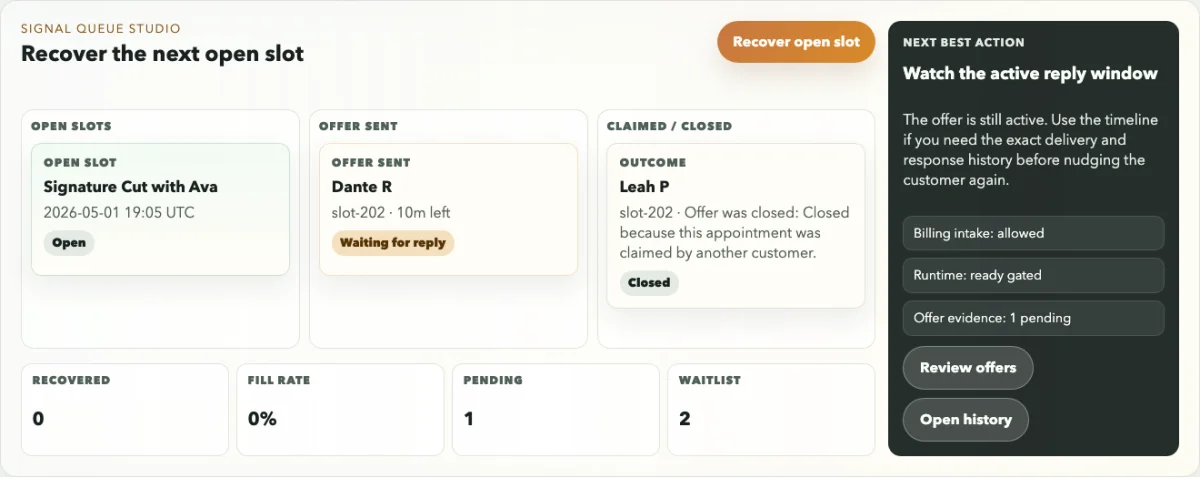
Example workspace unavailable. The workflow explanation is still available.
One daily workspace, with distinct responsibilities.
Owners manage shop setup and staff access. Staff work through daily openings, waitlist entries and offers within their assigned shop. Support access is separate and read-only.
A clear choice for the customer.
The offer link shows the appointment details and lets the customer accept or decline. Expired or already handled offers show that the appointment is no longer available through that link.
Access follows the shop's roles.
The proposed operating model serves one business per deployment, with distinct owner, staff and read-only support roles. Initial questions about the workflow or this website go via the existing KEYTIO contact: hello@keytio.com.
hello@keytio.comDiscuss whether the workflow fits your business.
Start with your cancellation volume, eligible waitlist and current follow-up. Setup, delivery configuration, support and any pilot terms are agreed separately. This email draft sends nothing and creates no account.
Frequently asked questions
Does SlotMend replace my scheduling software?
SlotMend focuses on appointment recovery. The current supported workflow includes entering openings and using an import path during setup. A live connection to your scheduling system is not included in this pilot promise.
How does a customer respond?
The customer opens an offer link, reviews the appointment and accepts or declines. An offer can expire or become unavailable after it has been handled.
Can my team use it?
Owners can manage staff access. Staff use the daily appointment, waitlist and offer workflows for the assigned business, with different permissions from the owner.
Does it send SMS?
Live SMS delivery is not part of the current supported workflow. Email offers require the shop's delivery setup and the customer's contact permissions.
Can I create an account from this page?
You can prepare an enquiry about an assisted pilot. This landing page does not create an account or provide app sign-in. App access will be connected separately; existing workspaces keep their current arrangements.
What does it cost?
Pilot and commercial terms are discussed directly with the team. No purchase or payment is made through this page.
Will every canceled appointment be filled?
There is no guaranteed fill rate. Availability, suitable waitlist customers, delivery and customer response affect each outcome.
Who can I contact about the pilot or privacy?
Initial questions go via KEYTIO at hello@keytio.com. Describe your question without customer records or confidential material.
Explore industry theme concepts
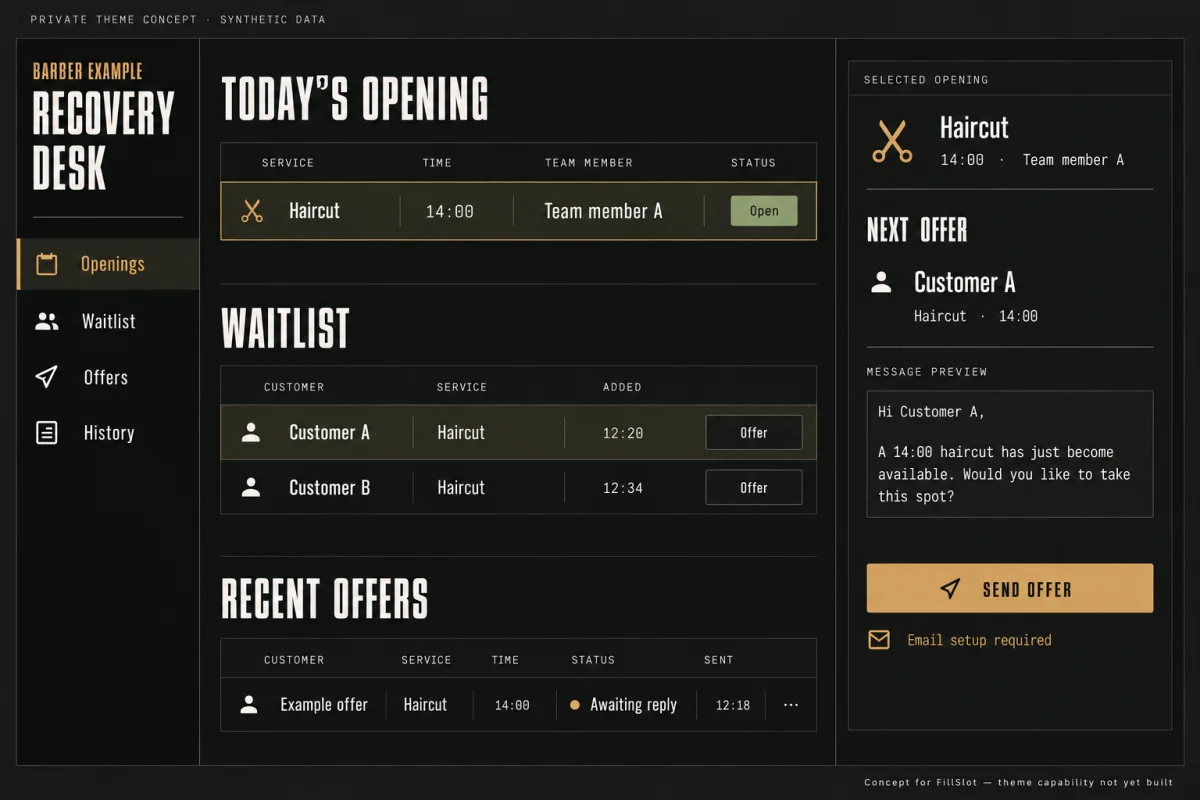
Explore a clearer follow-up for canceled openings.
Opens an unsent suitability draft to hello@keytio.com. Complete only useful, non-confidential details and choose whether to send.
If your email app does not open, write to hello@keytio.com from your usual inbox.